
06 / 06
Hire a Wifey
Home services — Hervey Bay
A new home-help brand needed one page that sells the service, books the job and recruits the people who do it.
On every screen

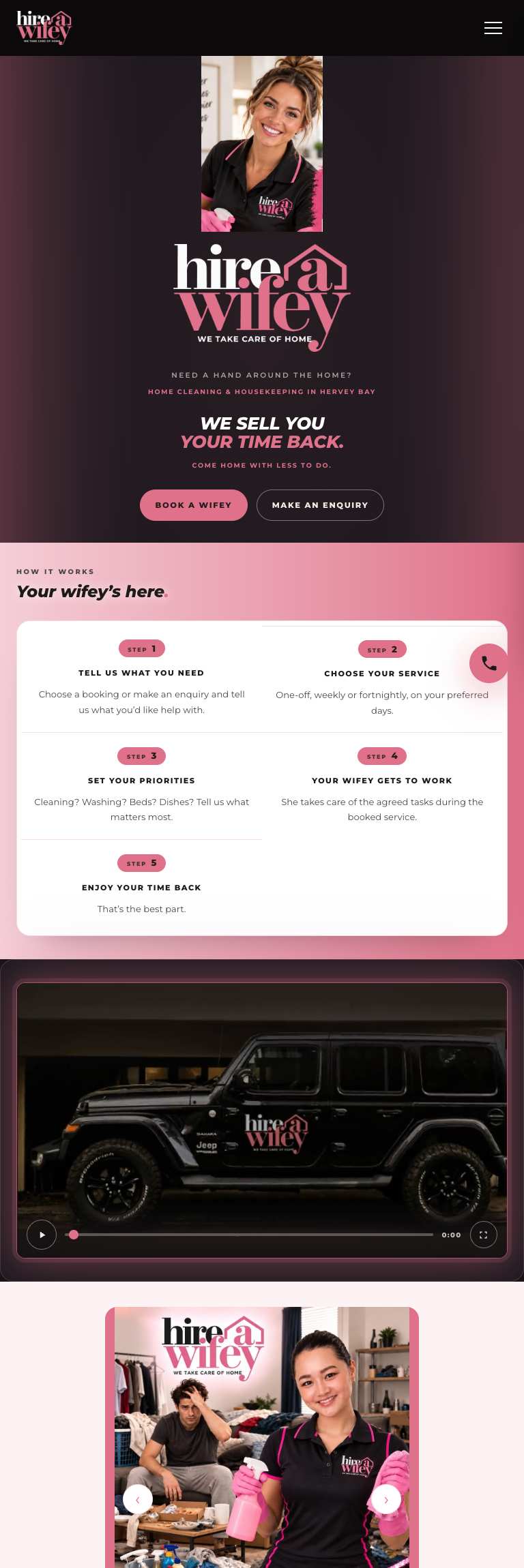

What the client wanted
- Launch a brand that did not exist yet.
- Sell a service people find hard to ask for.
- Take a booking without a back-and-forth.
- Recruit staff on the same page as the customers.
How it was achieved
01
One page, two audiences
Customers read down the page and book. People who want the work take a second path from the same page, so one URL carries both jobs without splitting the brand.
02
Plain about what is included
Services are listed as the tasks people actually want done, with the awkwardness taken out of asking, which is most of the sale.
03
Booking as the only call to action
Every section ends in the same action, so there is never a question about what to do next.
The page, top to bottom
Each band earns its place. Nothing is there because a template had a slot for it.
- 01HeroThe offer and the booking button, above the fold.
- 02ServicesWhat gets done, room by room, in plain words.
- 03How it worksThree steps from enquiry to a clean house.
- 04PricingRates set out before anyone has to ask.
- 05Join the teamA recruitment path for local workers.
- 06Book a jobDate, service and address in one form.
Skills and tools
- Brand naming support and visual identity
- Astro static build
- Booking and recruitment forms
- Local SEO setup
- Cloudflare Pages hosting
- Brand launch
- Booking
- Recruitment
The process
- 01
Started with the brand, because there was nothing to design against yet.
- 02
Wrote the page to remove the embarrassment from asking for help at home.
- 03
Built two form paths, one for customers and one for applicants.
- 04
Set up local search presence alongside the launch.
- 05
Handed over the domain, hosting and both inboxes.